About Webtrix24 CRM
Registration
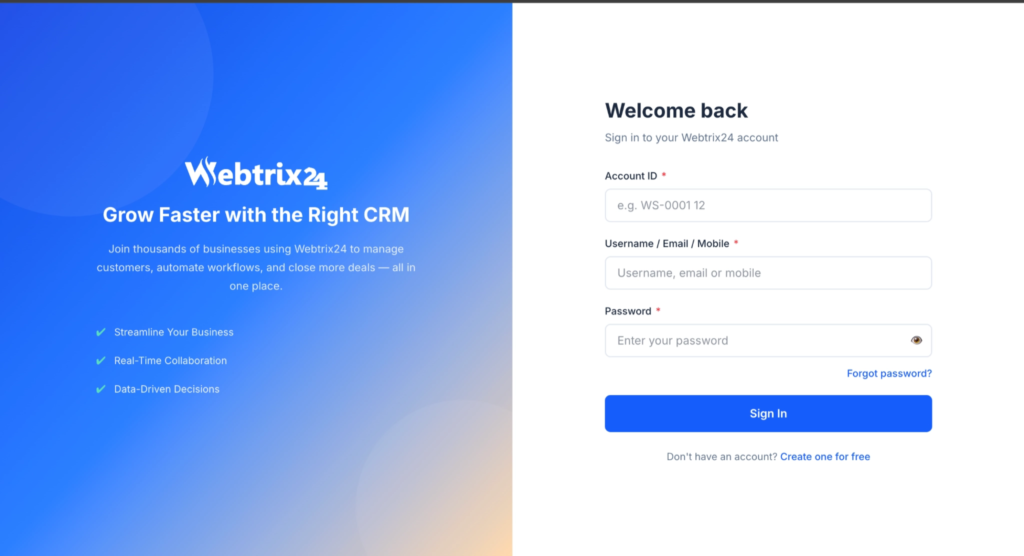
Login
System Navigation
About Webtrix24 CRM
Registration
Login
System Navigation
About Webtrix24 CRM
Registration
Login
System Navigation
About Webtrix24 CRM
Registration
Login
System Navigation
About Webtrix24 CRM
Registration
Login
System Navigation
About Webtrix24 CRM
Registration
Login
System Navigation
Account Registration & CRM Setup
Webtrix24 CRM allows users to create their account and select the business solution that best matches their requirements.
Account Registration Process
Follow these steps to create a new account:
- Open the Webtrix24 registration page.
- Enter:
- Full Name
- Email Address
- Phone Number
- Click on the Continue button.
- Complete OTP verification.
- Select the required CRM solution.
- Complete the setup process.
- The system creates the workspace and redirects the user to the dashboard.
Available CRM Solutions
Users can select different CRM solutions based on business requirements:
- Core CRM
- Rental CRM
- Insurance CRM
Workspace Creation
After successful registration and verification, the system automatically creates a dedicated workspace for the selected CRM solution.