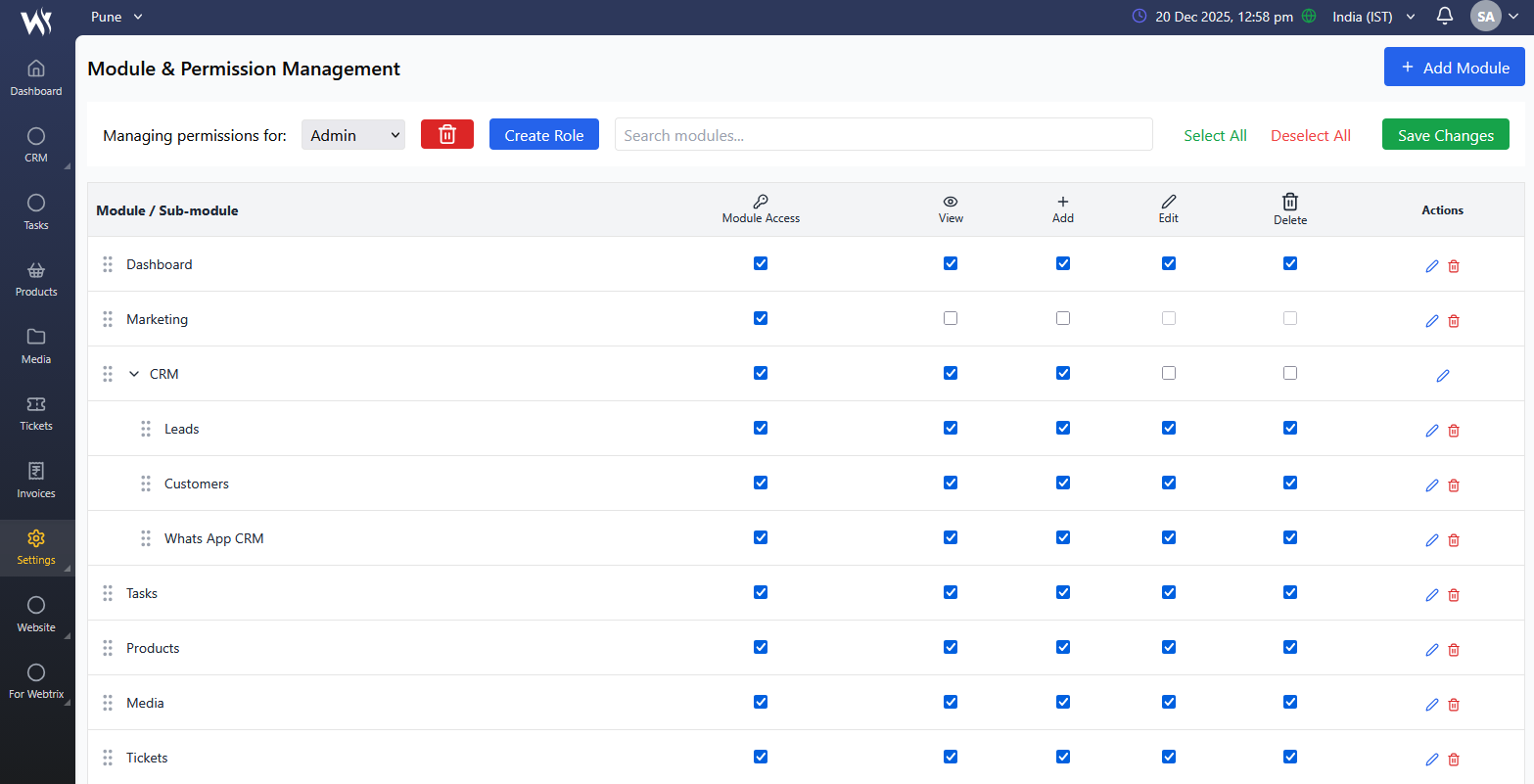
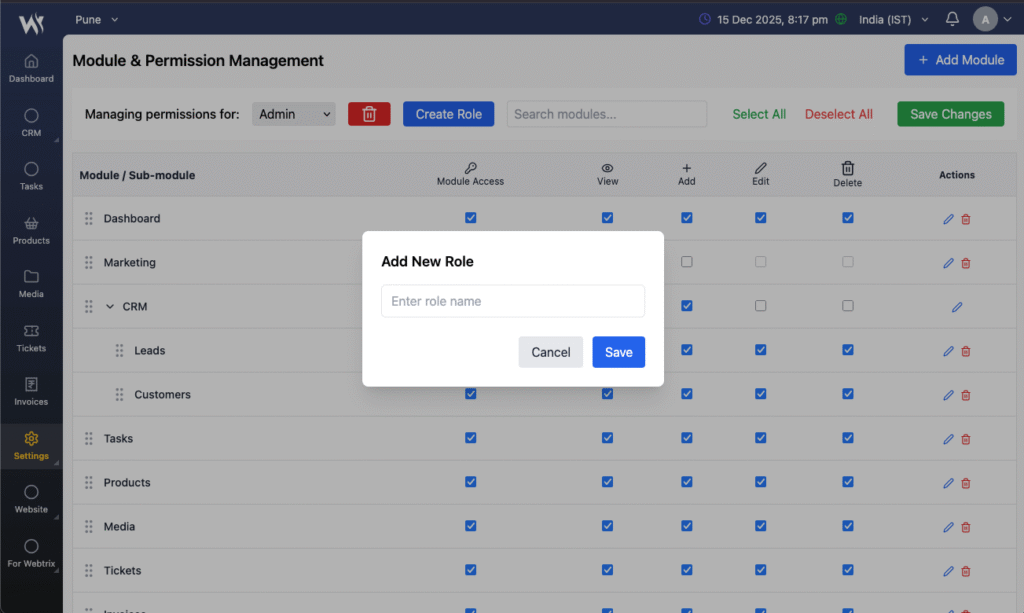
Easily manage user permissions with Role-Based Access Control. Define roles and tailor access levels to ensure team members have the right permissions, enhancing security and streamlining workflows in your CRM.
Secure
Your information is securely encrypted with TLS.
360 View
Holistic Task View enhances efficiency and ensures clear accountability across your team.
Customizable Notifications
Customize your alert settings to receive updates and reminders that are most relevant to your tasks.
Transparent View
Your information is securely encrypted with TLS.
Secure Access, Simplified Control
Manage user permissions with confidence. Our Access Control module provides a streamlined, intuitive way to secure sensitive data and ensure the right access for every role. Simplify complex permissions and enhance security without the hassle.
Unlock Growth with the Best Free CRM
Revolutionize your customer management with our leading free CRM. Enjoy seamless integration, intuitive design, and powerful features at no cost.
Manage user roles and define access to different modules and actions. Ensure the right people have the right level of access for secure and smooth operations.
Team Member Management
Add and manage staff users with defined responsibilities and access. Keep your operations structured and secure.
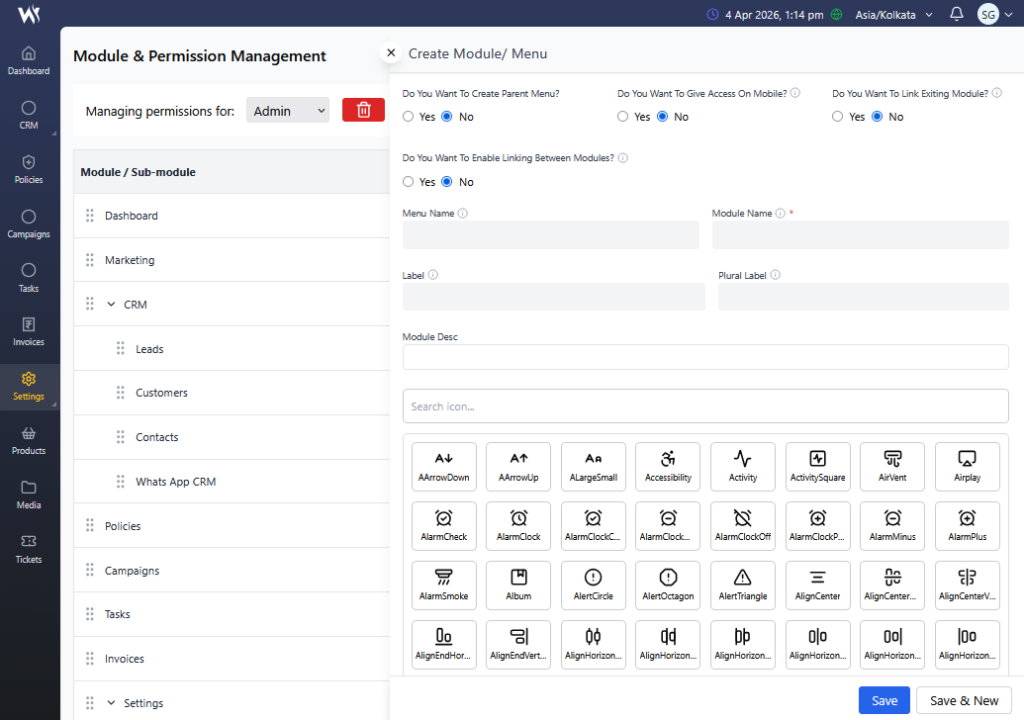
Dynamic Module Creation & Custom Menu Builder
Easily create and manage custom modules, menus, and workflows tailored to your business needs. Webtrix24 Solutions allows you to define structure, assign permissions, and integrate modules seamlessly—giving you complete control over your CRM system.
Absolutely! Webtrix24 Solutions allows you to edit roles and update permissions at any time, giving you full control over user access and system security.
Yes, in Webtrix24 Solutions, dashboards and reports are controlled based on the user’s role and assigned data access permissions, ensuring secure and role-based visibility across the system.
No, each user can have only one role at a time. However, roles can be customized to include multiple permissions and access levels, ensuring flexibility based on user responsibilities.