Team Task Tracker
Webtrix24 is a comprehensive task management platform designed to boost team efficiency and drive results.
From managing complex projects and tracking deliverables to enabling cross-functional collaboration, Webtrix24 offers a powerful suite of tools to streamline workflows, enhance visibility, enforce accountability, and ensure timely execution.
Secure
Your information is securely encrypted with TLS.
360 View
Holistic Task View enhances efficiency and ensures clear accountability across your team.
Customizable Notifications
Customize your alert settings to receive updates and reminders that are most relevant to your tasks.
Automated Task Recurrence
Automatically repeat tasks at set intervals to keep your schedule organized and timely.
Organize, Delegate, Innovate
Unlock more time for innovation and creative solutions with our efficient task management system.
Unlock Growth with the Best Free CRM
Revolutionize your customer management with our leading free CRM. Enjoy seamless integration, intuitive design, and powerful features at no cost.
100% Free
TLS encryption
Auto Backups
Dedicated Support
Everything You Need for Seamless Task Execution
Automated Task Recurrence
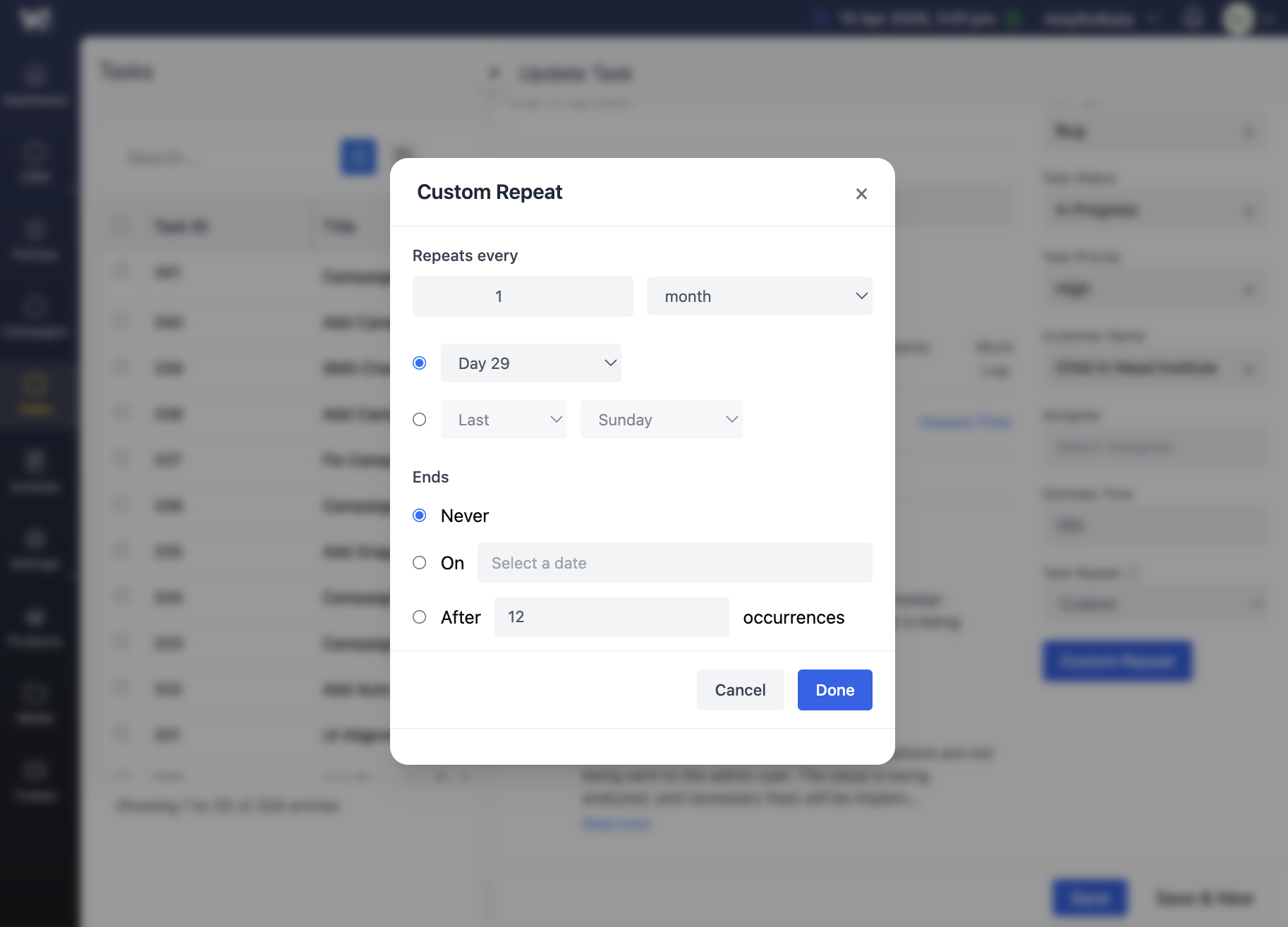
Effortlessly manage recurring tasks with Webtrix24 by setting them to automatically repeat at specified intervals. This feature ensures that routine activities are consistently scheduled and completed without manual intervention, streamlining workflows and reducing the risk of missed tasks.
Seamless Team Collaboration
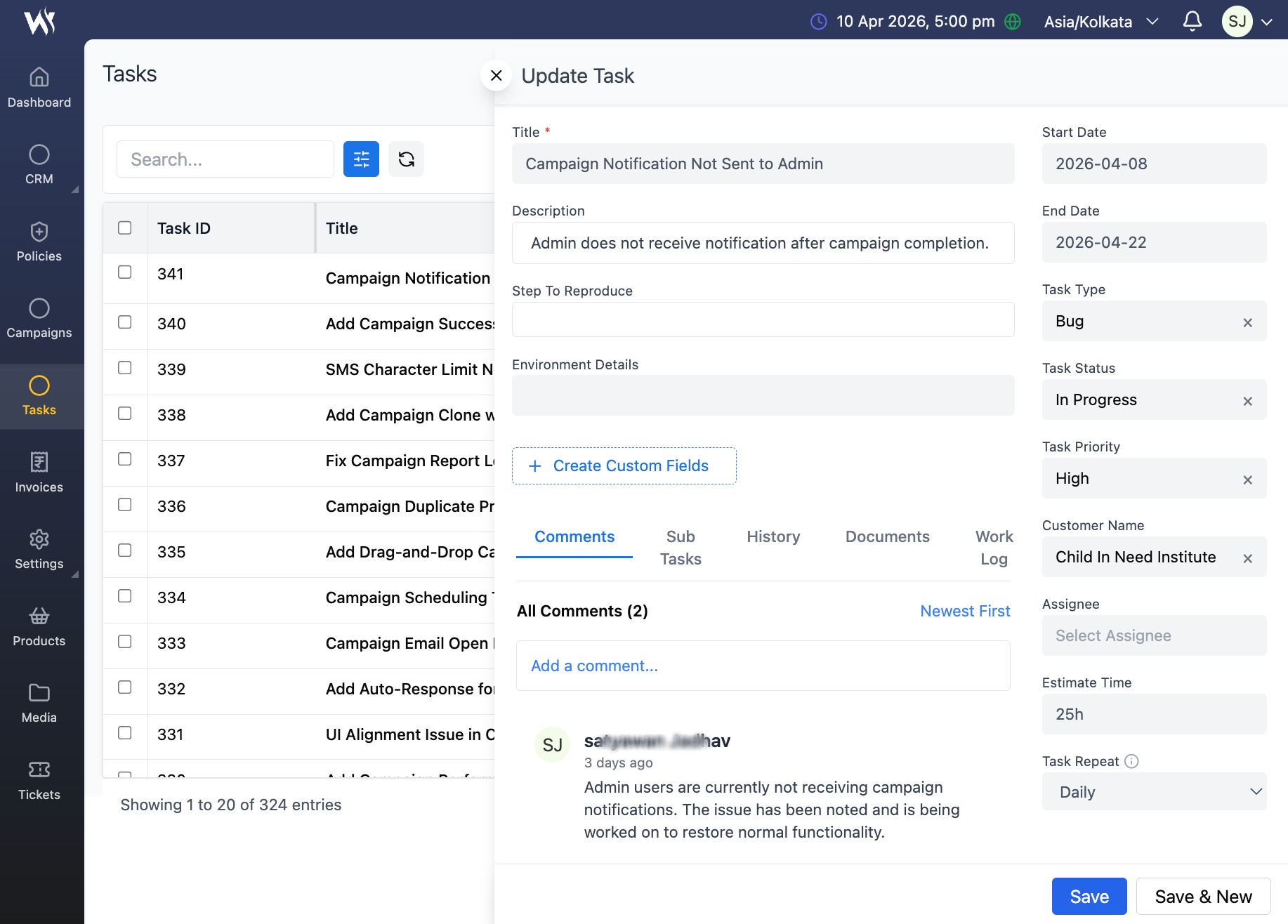
Enhance team productivity with our platform's seamless collaboration features. Tag team members and comment directly on tasks to facilitate real-time communication and coordinated efforts, ensuring everyone stays aligned and informed.
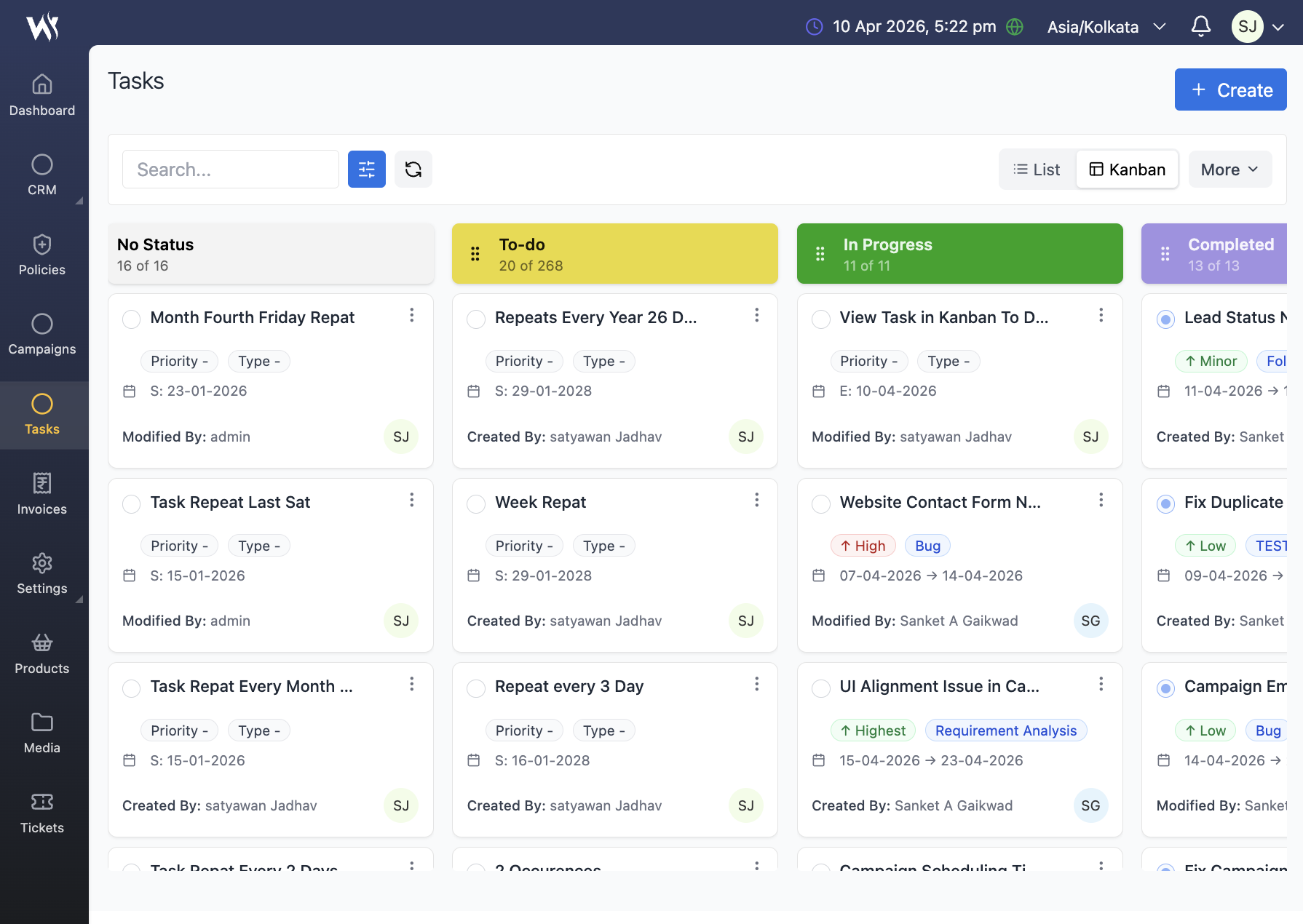
Different Needs, Different Views
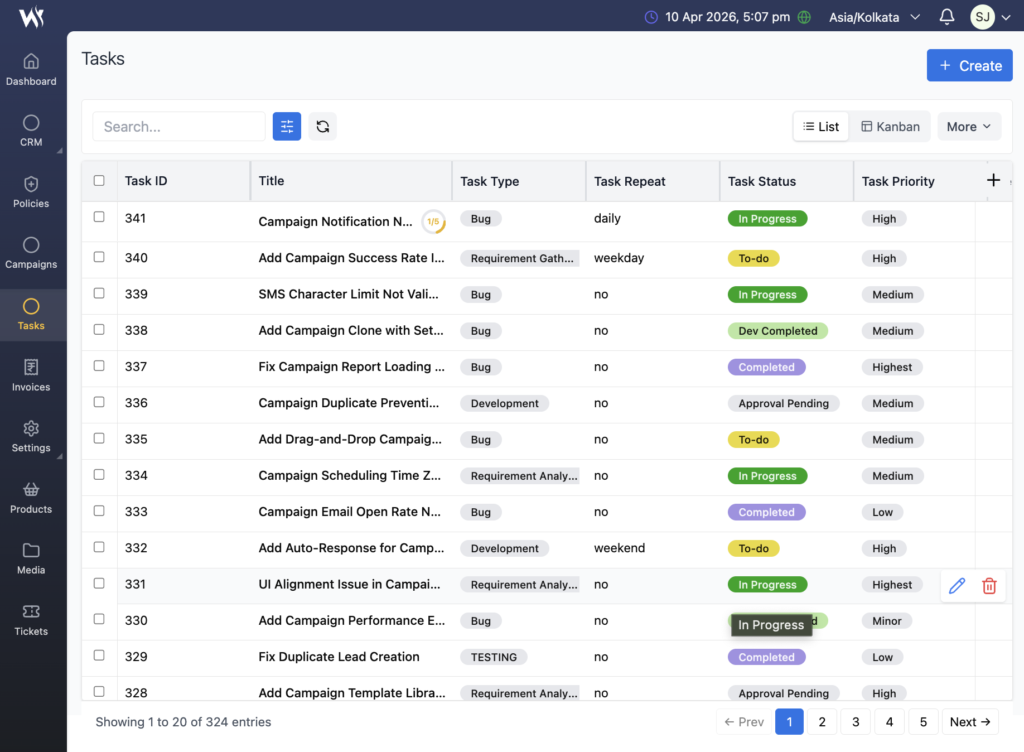
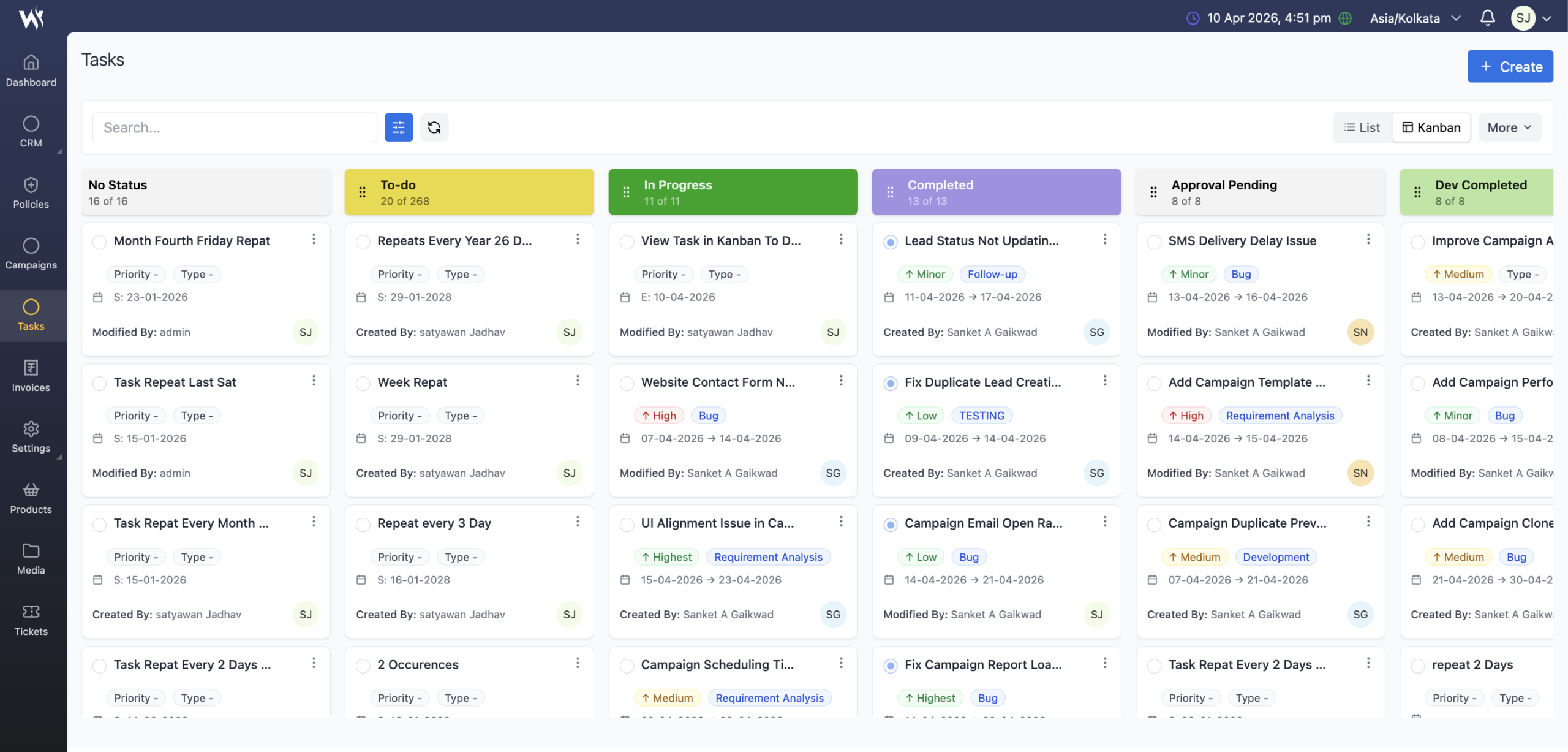
Switch effortlessly between list and grid views to manage tasks in a format that best suits your workflow. The list view provides a detailed, organized overview, while the grid view offers a visual layout for quick task management and navigation.

Who Can Use Webtrix24
Sales and Marketing Teams
Convert more leads with pipeline tracking, smart alerts, and team performance dashboards — all built to close deals faster.
Consultants & Service Professionals
Keep leads, clients, and projects organized. Automate follow-ups, manage tasks, and get a 360° view of your clients from inquiry to delivery.
Training Institutes & Educational Centers
Handle student inquiries, admissions, and payments in one system. Use automation to send reminders, course updates, and feedback forms.
Interior & Architecture Turnkey Contractors
Move beyond spreadsheets. Centralize client requirements, manage site visits, vendor payments, and track projects from blueprint to handover with full client history.
Close Work Faster with
Webtrix24 Task Management
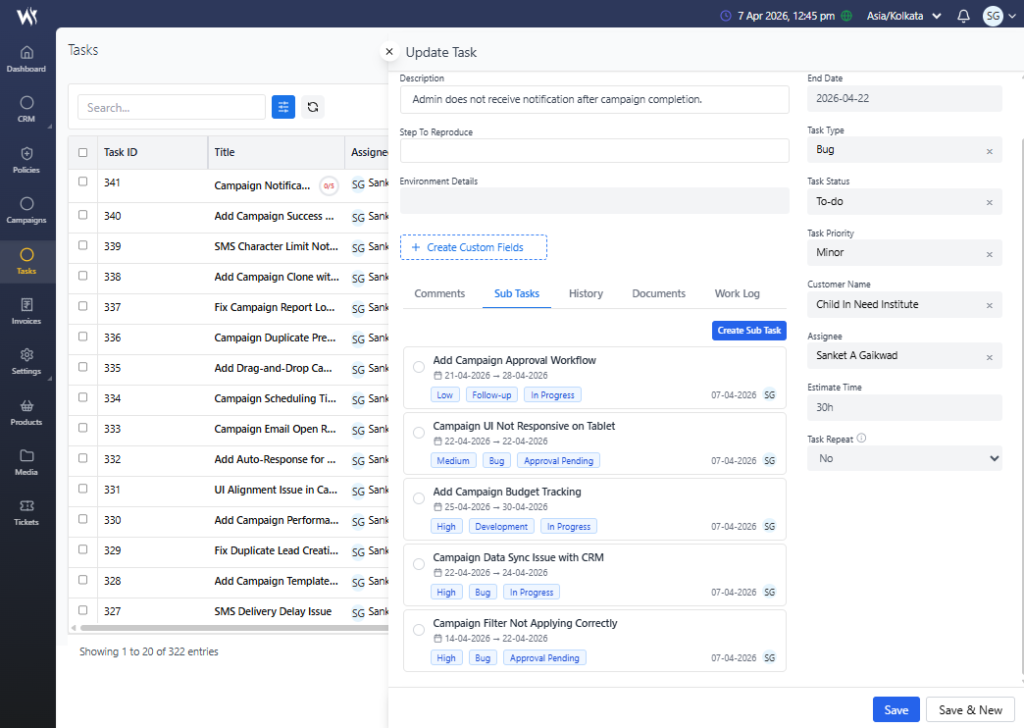
Smart Task Structuring with Sub-Tasks
Organize work smarter by creating sub-tasks within tasks. Gain better clarity, assign responsibilities easily, and track every detail with precision.
Switch from Kanban View to List View for Detailed Task Management
Gain complete control over your tasks by switching from Kanban View to List View. Access detailed information, apply advanced sorting and filtering, and manage every task with precision, clarity, and efficiency.
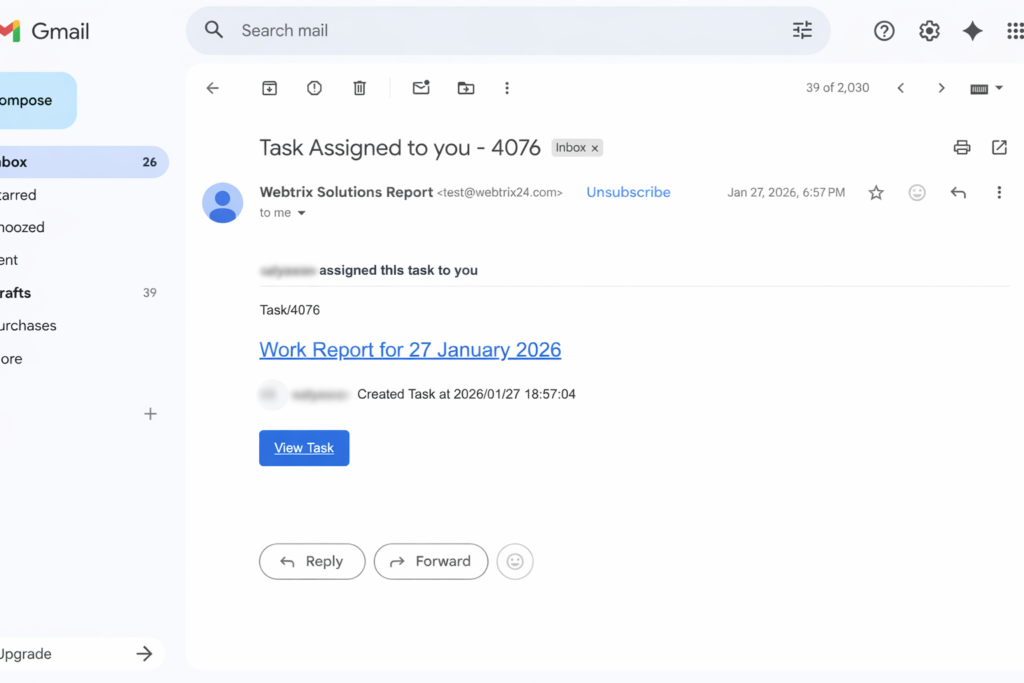
Automate Tasks with Smart Reminders & Email Notifications
Set tasks to repeat automatically and receive timely email notifications. Stay on track, reduce manual follow-ups, and ensure nothing slips through the cracks.
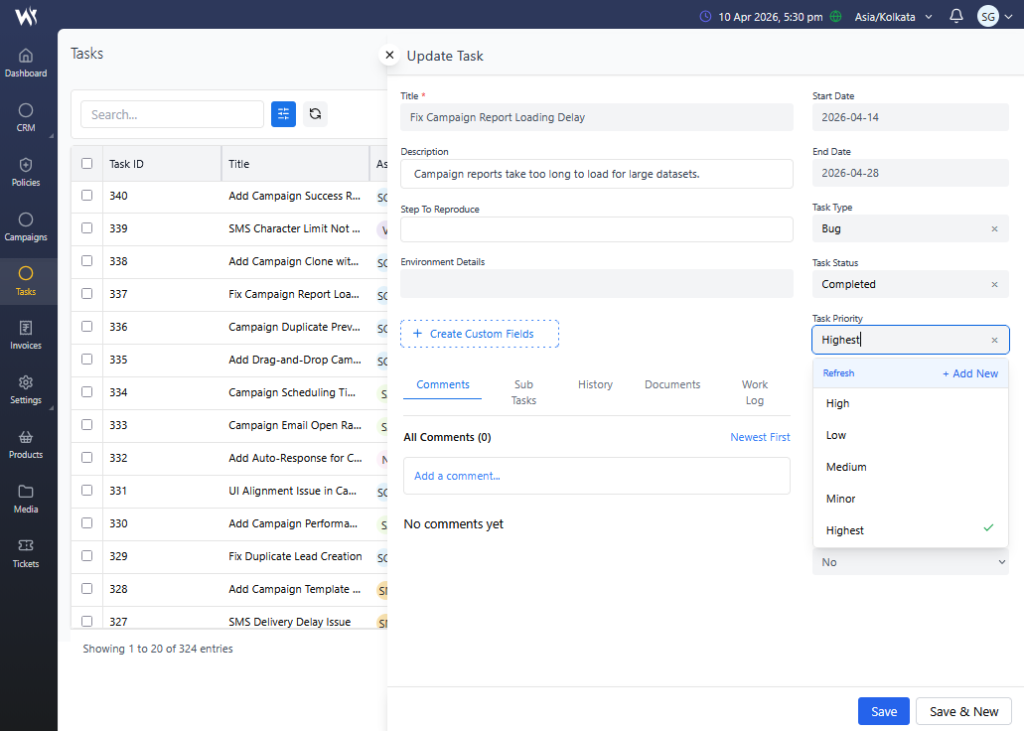
Custom Task Statuses and Priorities
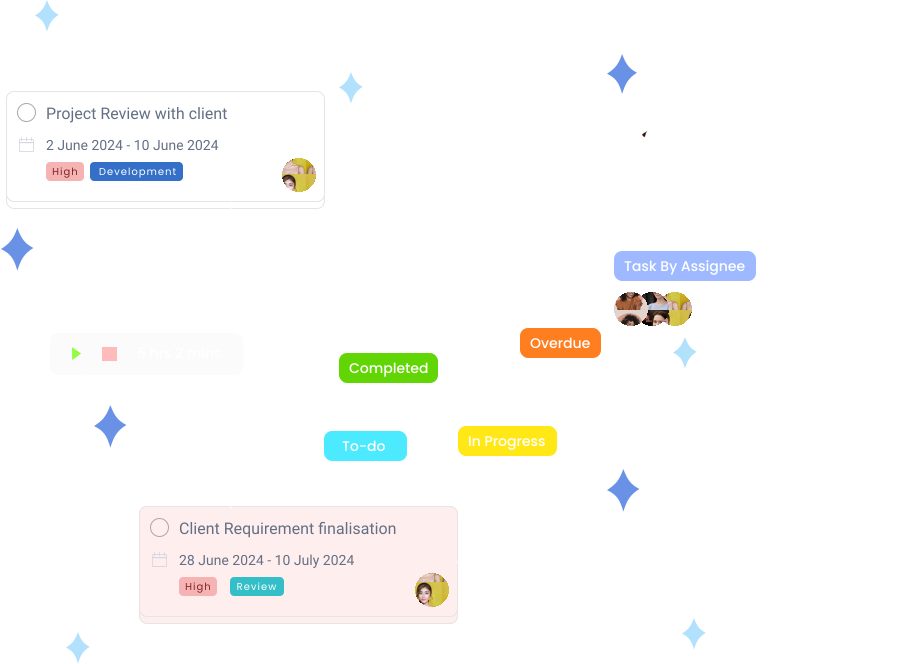
Tailor your task management process with custom statuses and priorities that align with your business needs. Create specific workflows beyond standard options like “To Do,” “In Progress,” and “Complete,” and assign priorities to highlight critical tasks. This customization ensures you have full control over task progress and can efficiently manage and track both task stages and importance.
Task Activity Log
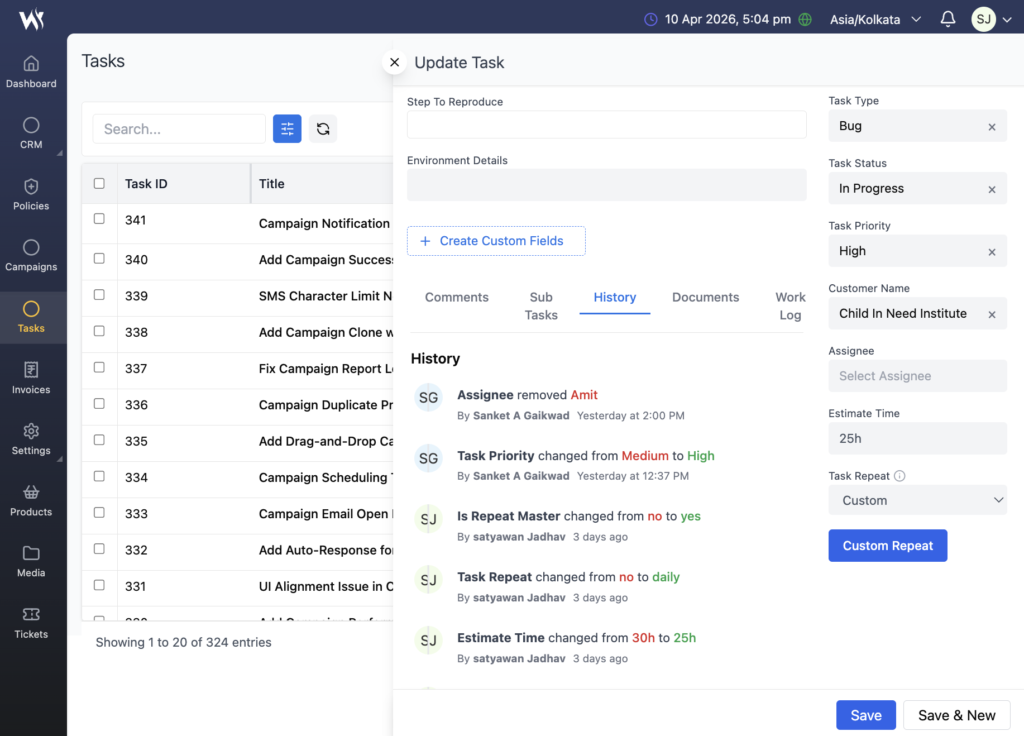
Track every detail of your task’s journey with our Task Activity Log. This feature provides a complete record of all changes and updates, offering insights into task progress, modifications, and interactions. Easily review historical data to monitor performance, ensure accountability, and understand the evolution of each task over time.
FAQs
Yes, Webtrix24 Solutions allows you to create sub-tasks under a main task, making it easier to break down complex work into smaller, manageable actions for better execution and tracking.
Yes, each sub-task can be assigned to different team members, enabling efficient task delegation and smooth collaboration across teams.
Absolutely. Every sub-task has its own status, priority, and timeline, allowing you to monitor individual progress as well as overall task completion.
Yes, you can set estimated time and log actual work hours for each task, helping you monitor performance, improve planning, and manage resources effectively.
Yes, Webtrix24 Solutions supports recurring tasks with options like daily, weekly, monthly, or custom schedules, helping automate routine activities.
Webtrix24 Solutions allows you to define custom task statuses such as To-Do, In Progress, Completed, or Approval Pending, helping you track progress according to your workflow.
Only Portal Owners, Admins, Managers, and Task Owners have permission to delete tasks.
Webtrix24 Solutions provides visual boards, structured task lists, and real-time updates so you can easily track progress, monitor workloads, and keep your team aligned on priorities.
Yes, you can assign tasks to individuals or multiple team members, set deadlines, define priorities, and monitor progress—all from a centralized platform designed for smooth team collaboration.
Absolutely. Whether you’re a startup, agency, or enterprise, Webtrix24 Solutions adapts to your workflow and helps streamline task management across all business functions.
Yes, you can apply advanced filters based on status, priority, assignee, or date range. The filtered data can also be exported in formats like PDF and Excel for easy reporting and analysis.
No, client users cannot be added or assigned to internal tasks. Internal tasks are designed exclusively for your team’s internal workflow. However, client users can be assigned to tasks within external milestones or shared task lists, ensuring secure collaboration without exposing internal operations.