
WhatsApp CRM helps businesses manage customer and lead conversations directly within Webtrix24 CRM.
The module provides a centralized messaging interface where users can view conversations, communicate with contacts, access customer details, track interaction history, add comments, and manage WhatsApp communications from a single screen.
This improves customer engagement, reduces response time, and helps teams maintain complete communication records.
Who Can Use WhatsApp CRM?
WhatsApp CRM is useful for:
- Sales Teams
- Lead Management Teams
- Customer Support Teams
- Marketing Teams
- Relationship Managers
- CRM Administrators
The module helps teams manage customer communication efficiently without switching between multiple platforms.
Accessing WhatsApp CRM
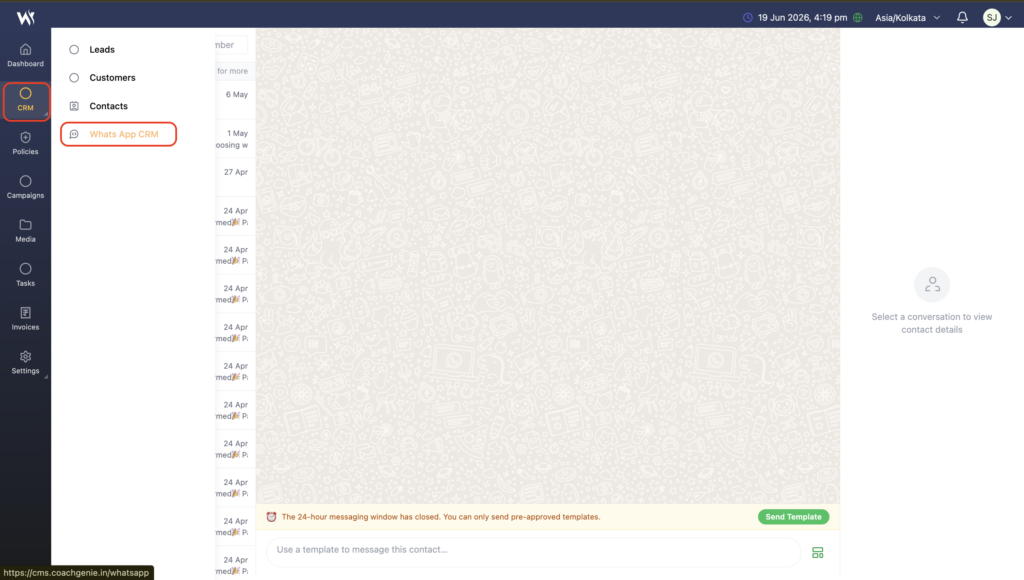
Navigate to:
CRM → WhatsApp CRM
The WhatsApp CRM screen displays all conversations and customer communication records.
Understanding the WhatsApp CRM Interface
The WhatsApp CRM screen is divided into three sections:
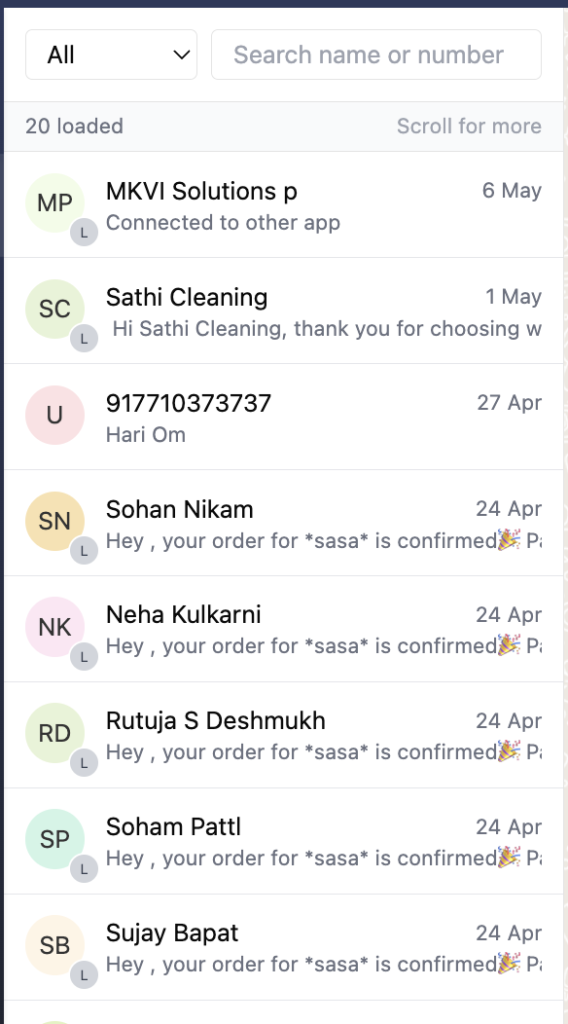
Conversation List Panel
The left panel displays available conversations.
Each record may include:
- Contact Name
- Phone Number
- Recent Message
- Contact Type
- Conversation Date
Users can quickly open any conversation by clicking the contact.
Chat Window
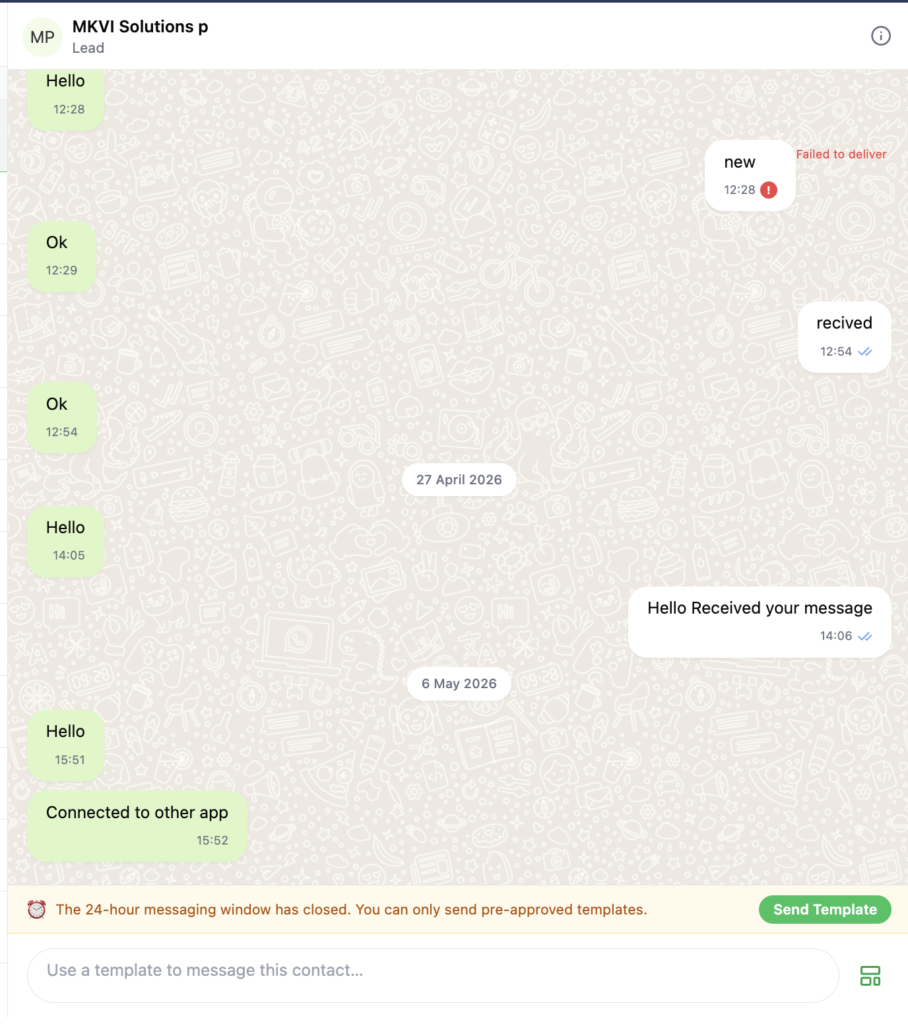
The center section displays the conversation history.
Users can:
- View sent messages
- View received messages
- Review conversation timeline
- Track communication history
This provides complete visibility into customer interactions.
Contact Information Panel
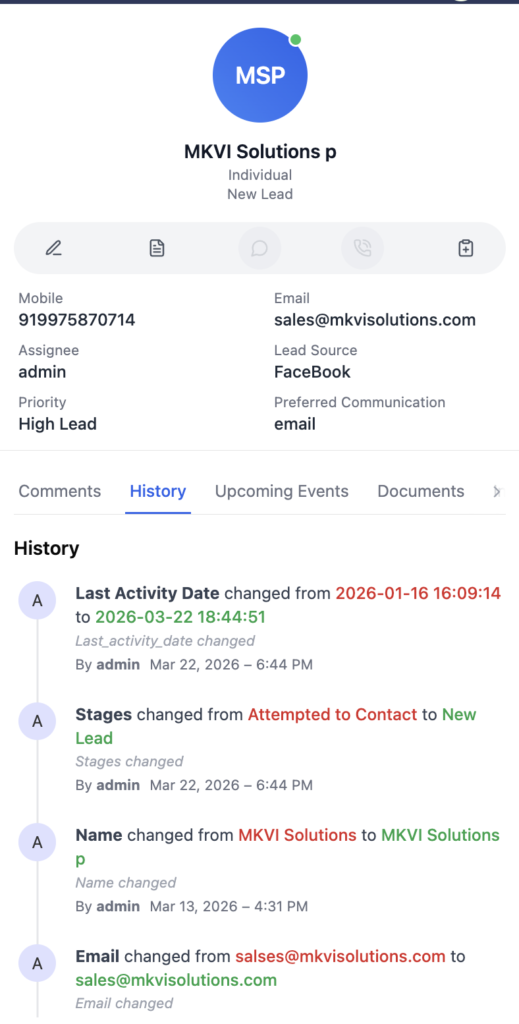
The Contact Information Panel provides quick access to customer or lead details directly from the conversation screen.
Users can view important information such as:
- Contact Name
- Mobile Number
- Email Address
- Lead Source
- Assignee
- Priority
- Preferred Communication Method
In addition to viewing information, users can perform various actions without leaving the conversation screen. This helps teams manage communication and customer records more efficiently.
Available actions may include:
- Edit contact information
- View contact details
- Add and manage comments
- Review activity history
- Check upcoming events and follow-ups
- Access related documents
This allows users to communicate with contacts while simultaneously managing CRM information from a single interface.
Contact Management Tabs
The right-side panel contains multiple tabs that help users manage customer information and interactions.
Comments
Add internal notes, follow-up updates, meeting summaries, and team discussions related to the contact.
History
View previous CRM activities and interaction records associated with the contact.
Upcoming Events
Track scheduled follow-ups, meetings, calls, and other planned activities.
Documents
Access files and documents linked to the contact for quick reference during conversations.
Benefits of WhatsApp CRM
WhatsApp CRM helps organizations:
- Manage customer communication centrally
- Improve response time
- Track complete conversation history
- Access customer details instantly
- Maintain internal notes
- Improve collaboration between teams
- Reduce missed follow-ups
- Enhance customer engagement
Best Practices
- Link conversations to CRM Leads or Customers whenever possible.
- Add comments after important discussions.
- Use approved WhatsApp templates when required.
- Keep customer information updated.
- Review conversation history before contacting customers.
Frequently Asked Questions
What is WhatsApp CRM?
WhatsApp CRM is a centralized communication module that allows users to manage customer and lead conversations within Webtrix24 CRM.
Can I communicate with CRM Leads?
Yes. Lead conversations can be managed directly through WhatsApp CRM.
Can I communicate with CRM Customers?
Yes. Customer conversations can be viewed and managed from the same interface.
Can I search conversations?
Yes. Conversations can be searched using contact names or phone numbers.
Can I filter conversations?
Yes. Users can filter conversations by All, Leads, Customers, and Unknown contacts.
What happens when the 24-hour WhatsApp window expires?
Users can only send approved WhatsApp templates until the customer responds again.
Can I view customer information while chatting?
Yes. Contact details are displayed in the information panel.
Can I add internal notes?
Yes. Internal notes can be added using the Comments section.
Can I view previous communication history?
Yes. The chat window and History section provide access to previous interactions.
Can I access customer documents?
Yes. Documents linked to the contact can be accessed through the Documents section.