
Categories help organize records across different modules in Webtrix24 CRM. By using categories, businesses can group similar records, improve data management, and make information easier to find.
Access Category Management
Steps:
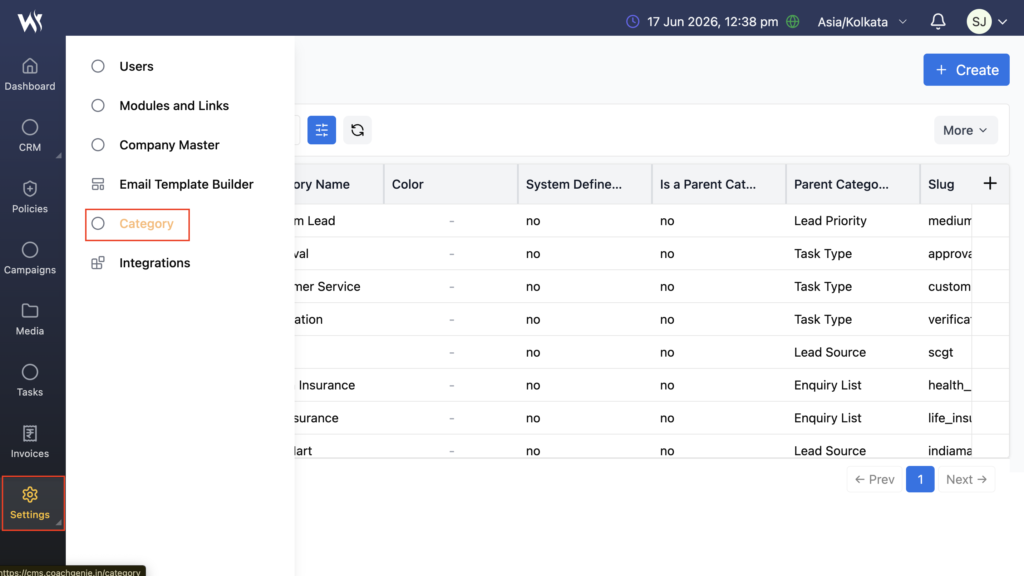
- Navigate to Settings → Category.
- The Category Management page will open.
- View existing categories or create new categories as required.
Create a Category
Use the Create option to add a new category.
Steps:
- Navigate to Settings → Category.
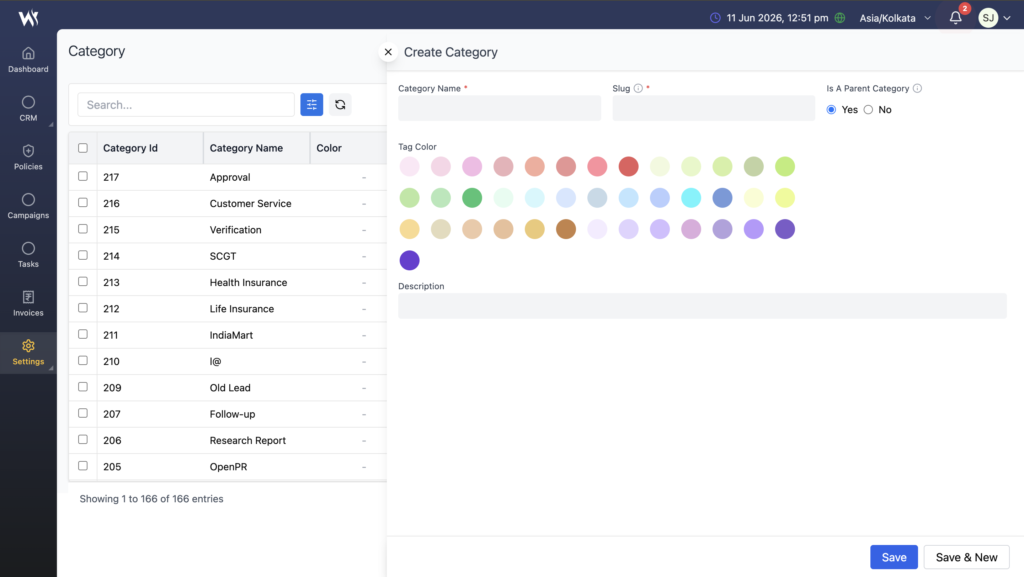
- Click Create Category.
- Enter the category name and required details.
- Click Save.
The category becomes available for use in related modules and forms.
Purpose of Categories
Categories help businesses:
- Organize records properly
- Improve data management
- Simplify searching and filtering
- Maintain structured workflows
Where Categories Are Used
Categories can be used in various modules, including:
- Products
- Lead
- Customer
- Expenses
- Policies
- Reports
Categories help maintain a consistent structure across the CRM.
Category Usage in Forms
Categories created in Category Management automatically appear as dropdown options in related forms.
Examples:
- Product Category
- Expense Category
- Policy Category
- Rental Item Category
This helps users select predefined values and maintain consistent data entry.
Dynamic Category Updates
When a new category is created, it becomes available in the related modules automatically.
No additional configuration is required.
Category Operations
Users can perform the following actions:
- Add Category
- Edit Category
- Delete Category
- Activate/Deactivate Category
Access Control
Category management access depends on assigned user permissions and roles.
Frequently Asked Questions
Why should I use categories?
Categories help organize records, improve searching, simplify filtering, and maintain structured workflows.
Where can categories be used?
Categories can be used in products, services, expenses, policies, rental items, documents, reports, and other supported modules.
Do new categories appear automatically in forms?
Yes. Newly created categories automatically become available in related dropdown fields.
Who can manage categories?
Users with the required permissions can create and manage categories.
Category Management Tips
- Create clear and meaningful category names.
- Avoid creating duplicate categories.
- Review categories regularly to keep data organized.
- Use categories consistently across all modules.