
The User Roles and Permissions module allows administrators to control access to CRM modules and business operations. Permissions can be assigned based on user roles and organizational requirements.
Access User Roles and Permissions
Steps:
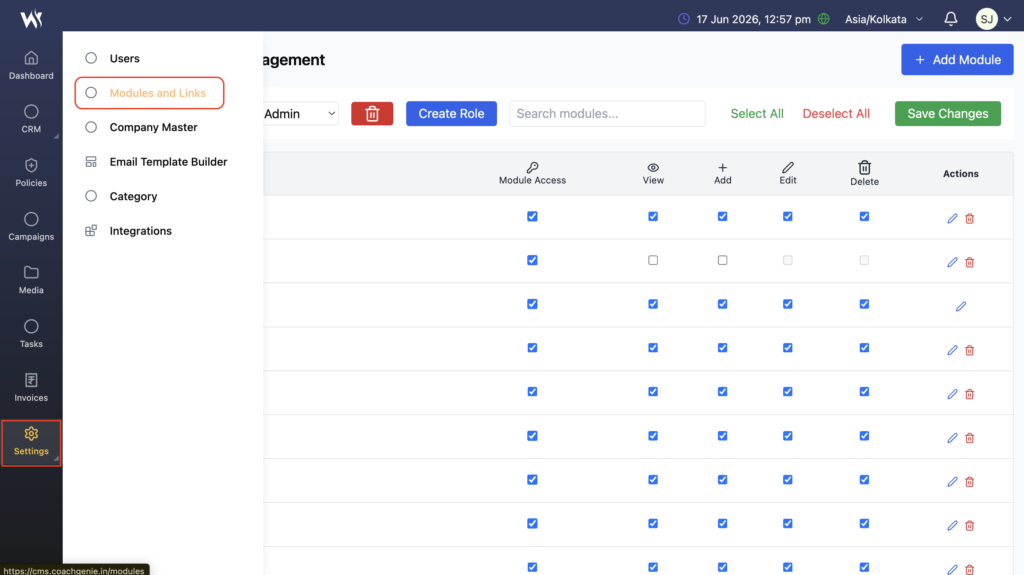
- Navigate to Settings → Modules & Links..
- The User Roles and Permissions page will open.
- Select the required role or create a new role.
- Configure module access and permissions as required.
What are User Roles and Permissions?
User Roles and Permissions help organizations control who can access specific modules and what actions users can perform within those modules.
Administrators can configure permissions for individual roles and manage access across the CRM system.
Module Access Management
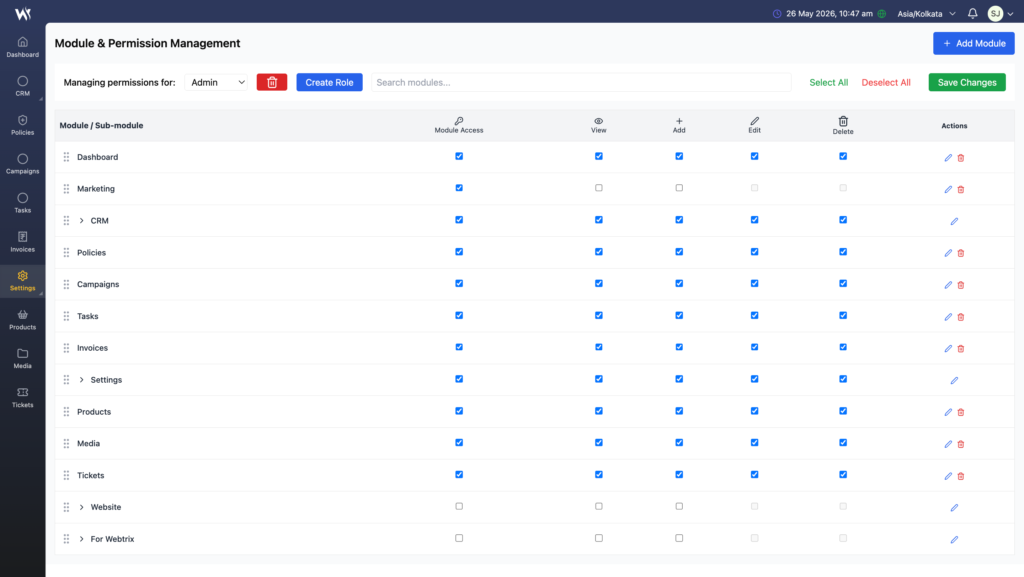
Administrators can grant or restrict access to specific modules.
Examples include:
- Dashboard
- Leads
- Customers
- Contacts
- Tasks
- Campaigns
- Policies
- Vendor Management
- Media
- Finance Modules
Users can access only the modules assigned to their role.
Permission Types
The system allows administrators to configure the following permissions:
View
Allows users to view records and information.
Add
Allows users to create new records.
Edit
Allows users to modify existing records.
Delete
Allows users to remove records.
Module Access
Controls whether a user can access a specific module.
Managing Permissions
Administrators can:
- Create new roles
- Assign module access
- Configure View, Add, Edit, and Delete permissions
- Update existing permissions
- Enable or disable access based on business requirements
Changes take effect immediately after saving.
Access Management Tips
- Assign users only the permissions required for their job responsibilities.
- Review user roles and permissions regularly to maintain security.
- Disable inactive user accounts when access is no longer required.
- Use roles to ensure consistent permissions across teams and departments.
- Grant administrative permissions only to authorized users.
Frequently Asked Questions
What is Module Access?
Module Access determines whether a user can open and use a specific CRM module.
Can different roles have different permissions?
Yes. Each role can have its own module access and permission settings.
What happens if View permission is disabled?
The user cannot access or view records within that module.
Who can manage permissions?
Users with administrative privileges can create roles and configure permissions.