
In Webtrix24 CRM, the Customer Management module helps users store, organize, and manage customer information from a centralized location. Users can create customer records, update customer information, manage customer activities, and track customer interactions.
Accessing Customers
Steps:
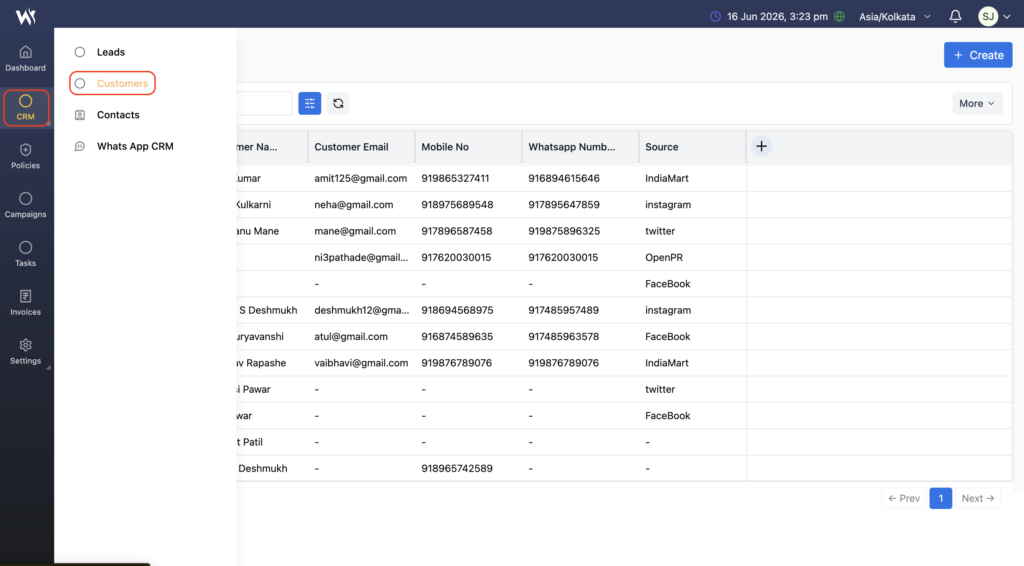
- Click CRM from the left navigation panel.
- Select Customers from the CRM menu.
- The Customer List View page will open displaying all available customer records.
Create a New Customer
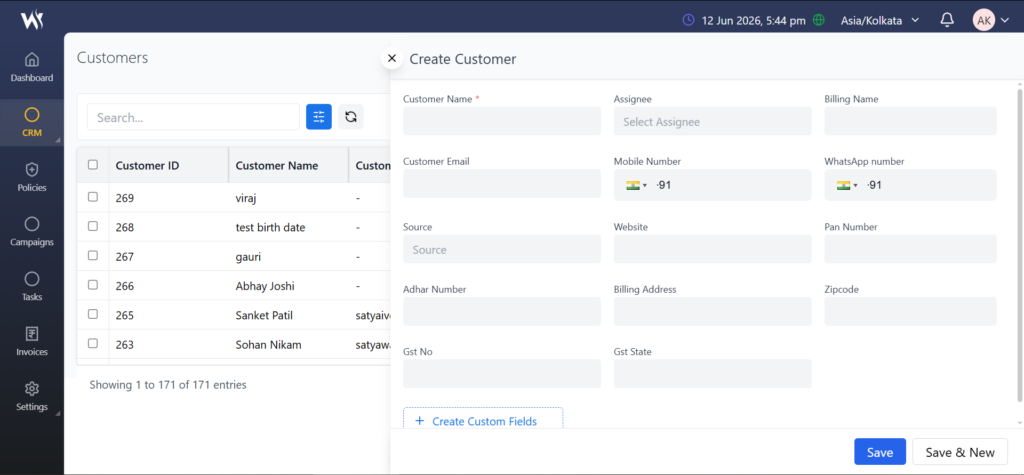
The Create button allows users to create a new customer record in Webtrix24 CRM.
Steps:
- Click the + Create button in the top-right corner.
- Enter the required customer information:
- Customer Name
- Assignee
- Billing Name
- Email Address
- Mobile Number
- Review the entered information.
- Click Save.
After saving, the new customer record appears in the customer List View
Customer Quick Actions
Customer records support standard record actions such as View, Edit, and Delete.
For detailed information about record actions, searching, filtering, exporting data, pagination, and other common record management features, refer to the Managing Your CRM Records article.
Create Task from a Customer Record
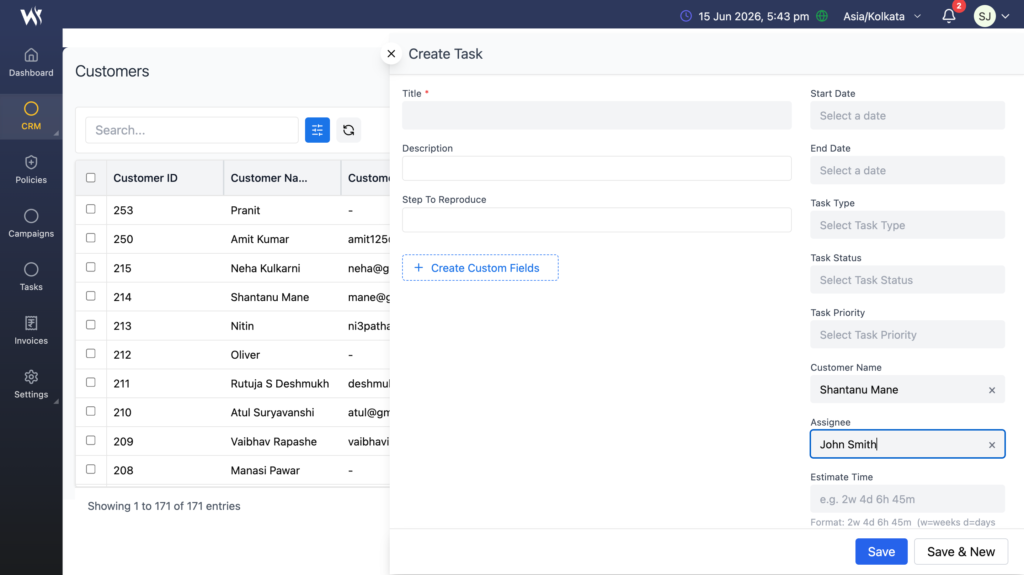
Users can create follow-up activities directly from a customer record.
The task is automatically added to the Task module.
Creating tasks directly from customer records helps users track meetings, follow-ups, support requests, and other customer-related activities.
Steps:
- Locate the required customer record.
- Click the Create Task icon.
- Enter task information.
- Click Save.
Best Practices for Customer Management
- Maintain accurate customer information.
- Keep contact details updated.
- Create follow-up tasks when required.
- Review customer records regularly.
- Organize customer data consistently.
Frequently Asked Questions
What is a customer in Webtrix24 CRM?
A customer is an individual or organization with whom your business has an active relationship.
How do I create a customer in Webtrix24 CRM?
Open CRM > Customers, click Create, enter the required information, and save the record.
Can I create tasks from a customer record?
Yes. Users can create follow-up tasks directly from customer records.
What information can be stored for a customer?
Users can store customer names, contact information, billing information, assigned users, and other customer-related details.
Why should I create tasks for customers?
Tasks help users track follow-ups, meetings, support requests, and other customer-related activities.