
Webtrix24 CRM provides a user-friendly interface that allows users to quickly access modules, records, and account settings from a centralized platform.
The navigation structure helps users move efficiently between different CRM functions and business operations.
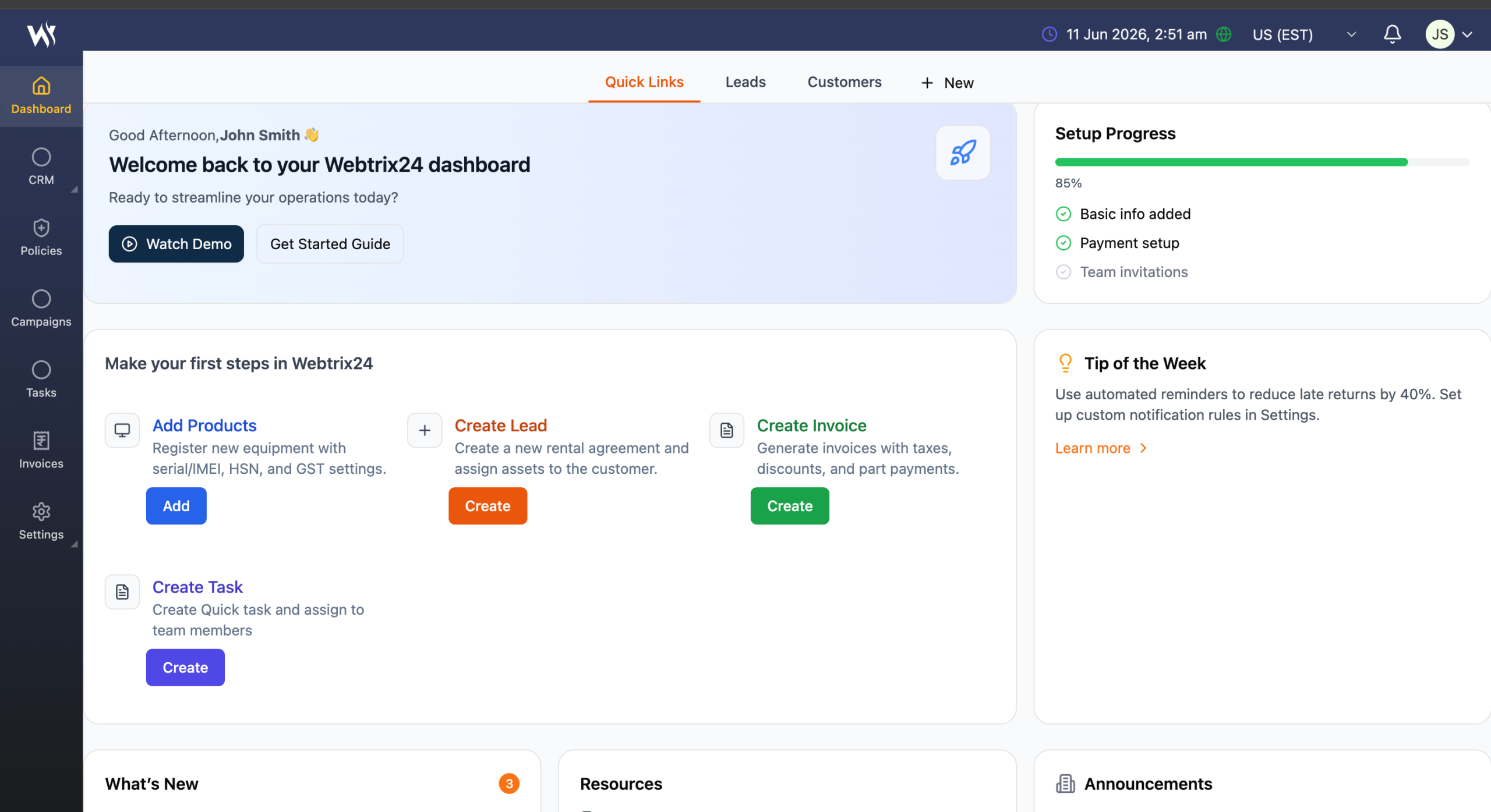
Main Navigation Menu
The left-side navigation panel provides access to major CRM modules.
Available modules may include:
- Dashboard
- CRM
- Policies
- Campaigns
- Tasks
- Invoices
- Settings
Users can click any module to access related records, activities, and business operations.lated records and activities
Top Header Bar
The top header bar provides quick access to important system functions and user information.
Available options include:
- Current Date and Time
- Time Zone Selector
- Location Selector
- Notification Center
- User Profile Menu

Date and Time Display
The current system date and time are displayed in the top header.
This helps users track activities, reminders, and scheduled tasks accurately.
Example:
11 Jun 2026, 11:27 AM
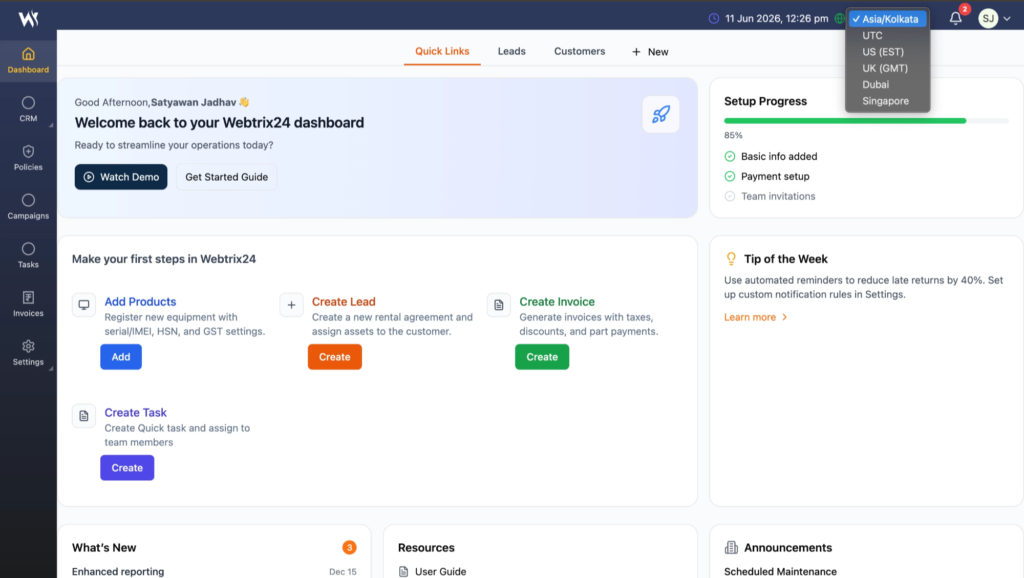
Time Zone Selection
The timezone dropdown allows users to view the currently selected timezone.
Example:
- Asia/Kolkata
The selected timezone is used throughout the CRM for displaying date and time information.
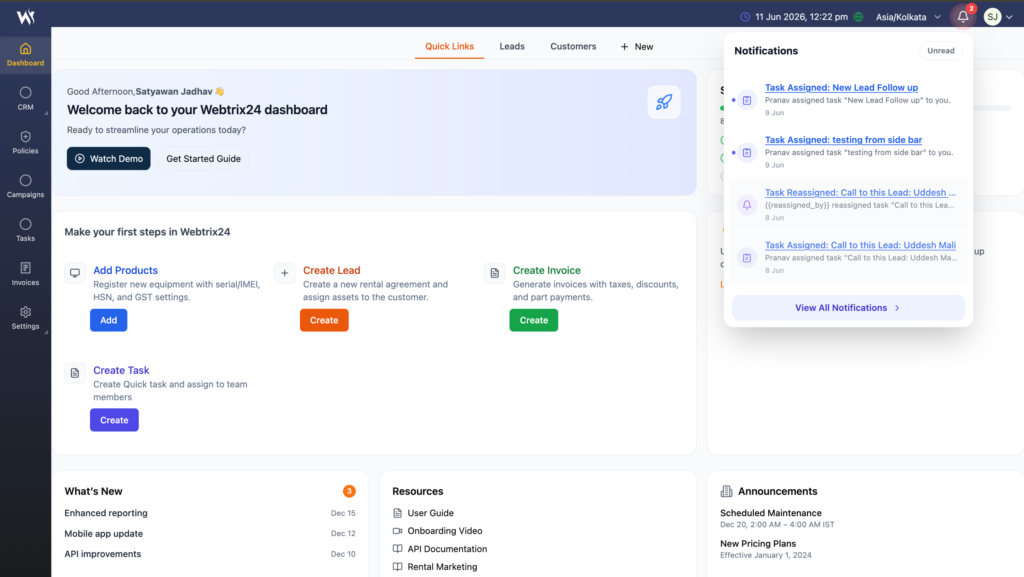
Notification Center
The Notification Center helps users stay informed about important system activities and updates.
Users can receive notifications for:
- Task assignments
- Task updates
- Lead activities
- Customer updates
- Policy reminders
- System alerts
- Important announcements
Accessing Notifications
- Click the Bell Icon in the top-right corner.
- View the list of recent notifications.
- Click a notification to view related details.
- Notifications may be marked as read after viewing.
The Notification Center displays important updates and alerts related to your CRM activities.
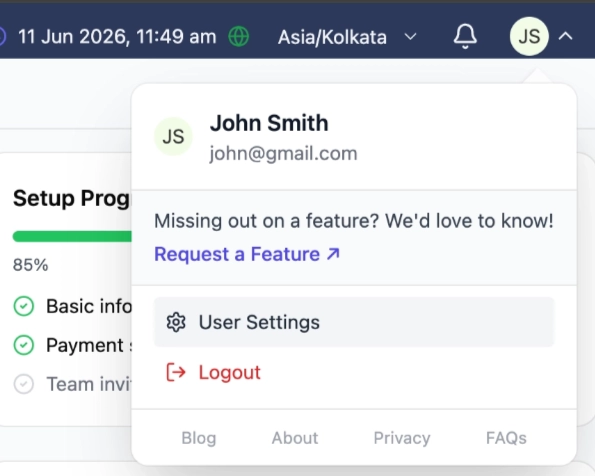
User Profile Menu
The User Profile Menu provides quick access to account-related options.
Users can access:
- My Profile
- Account Settings
- Change Password
- Logout
Available options may vary depending on user permissions and system configuration.
Frequently Asked Questions
What is the purpose of System Navigation?
System Navigation helps users quickly access modules, records, notifications, and account settings within Webtrix24 CRM.
Where can I find CRM modules?
CRM modules are available in the left-side navigation panel.
What is the Notification Center used for?
The Notification Center displays important updates, reminders, assignments, and system alerts.
Why is the Time Zone setting important?
The selected time zone ensures that dates, reminders, tasks, and activities are displayed correctly.
Where can I manage my profile settings?
Profile-related options are available from the User Profile Menu in the top-right corner of the CRM.