
The Dashboard is the central workspace of Webtrix24 CRM. It provides a quick overview of business activities, leads, customers, tasks, campaigns, invoices, and performance metrics. Users can access important information and navigate to key modules directly from the dashboard.
Dashboard Sections
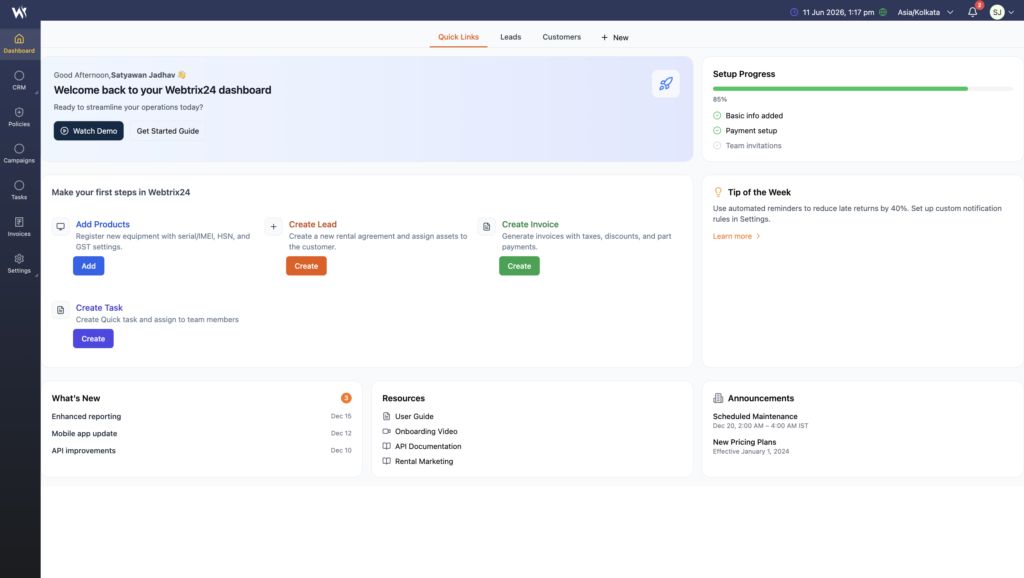
Quick Links Dashboard
The Quick Links section helps users perform common actions quickly.
Available actions include:
- Add Products
- Create Lead
- Create Invoice
- Create Task
Users can access frequently used operations without navigating through multiple screens.
Setup Progress
The Setup Progress widget displays CRM setup completion status.
Examples:
- Basic Information Added
- Payment Setup Completed
- Team Invitation Status
This helps administrators track system configuration progress.
Tip of the Week
The Tip of the Week section displays useful recommendations and productivity tips to help users improve CRM usage and workflow efficiency.
What’s New
The What’s New section displays recent platform updates such as:
- New Features
- Product Enhancements
- System Improvements
- Release Updates
This helps users stay informed about the latest changes and improvements in Webtrix24 CRM.
Resources
The Resources section provides quick access to helpful learning materials and documentation.
Available resources may include:
- User Guide
- Onboarding Videos
- API Documentation
- Training Materials
Announcements
The Announcements section displays important company or system notices such as:
- Scheduled Maintenance
- Product Updates
- Pricing Updates
- Service Notifications
This helps users stay informed about important platform activities and updates.
Leads Dashboard
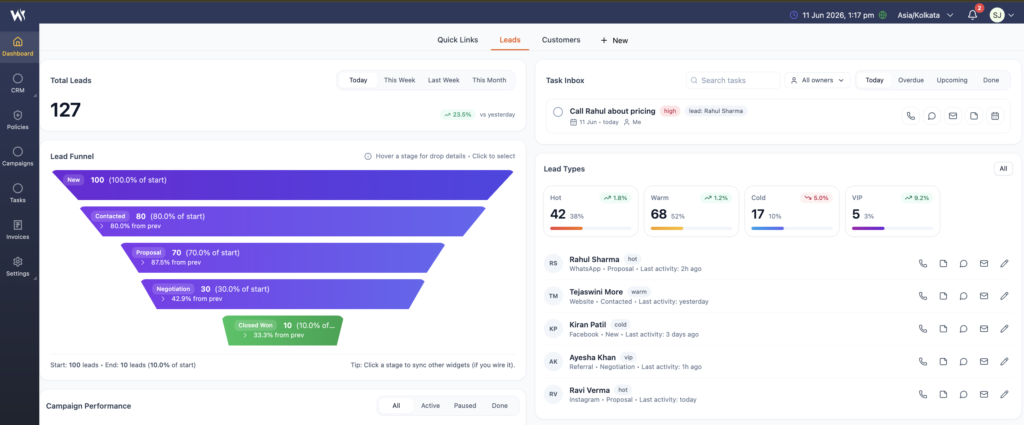
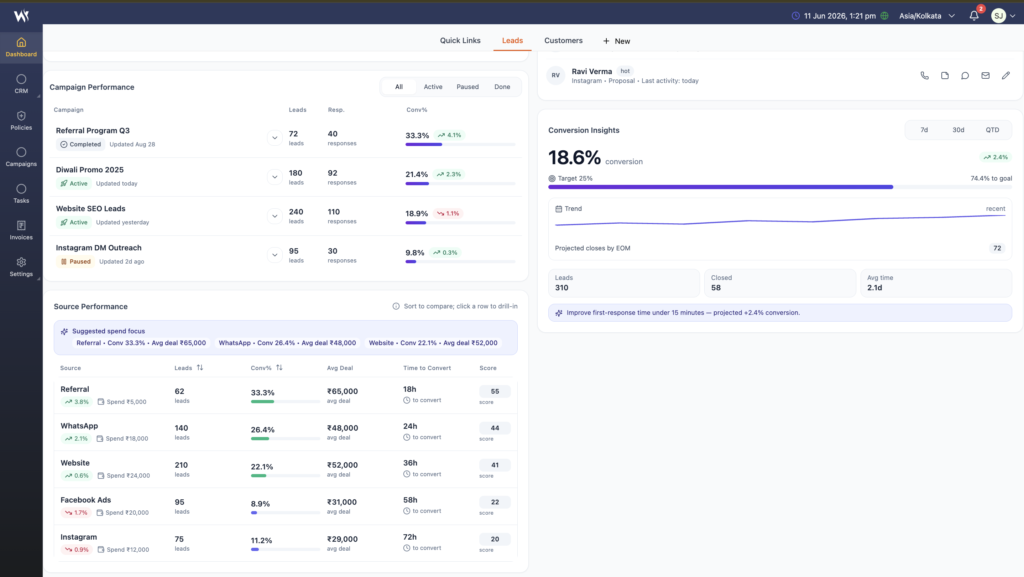
The Leads Dashboard helps sales teams monitor lead activity, conversion performance, follow-ups, and lead sources from a single screen.
Key information includes:
- Total Leads
- Lead Funnel
- Task Inbox
- Lead Types
- Campaign Performance
- Source Performance
- Conversion Insights
Users can analyze lead progress, identify conversion opportunities, and track sales performance in real time.
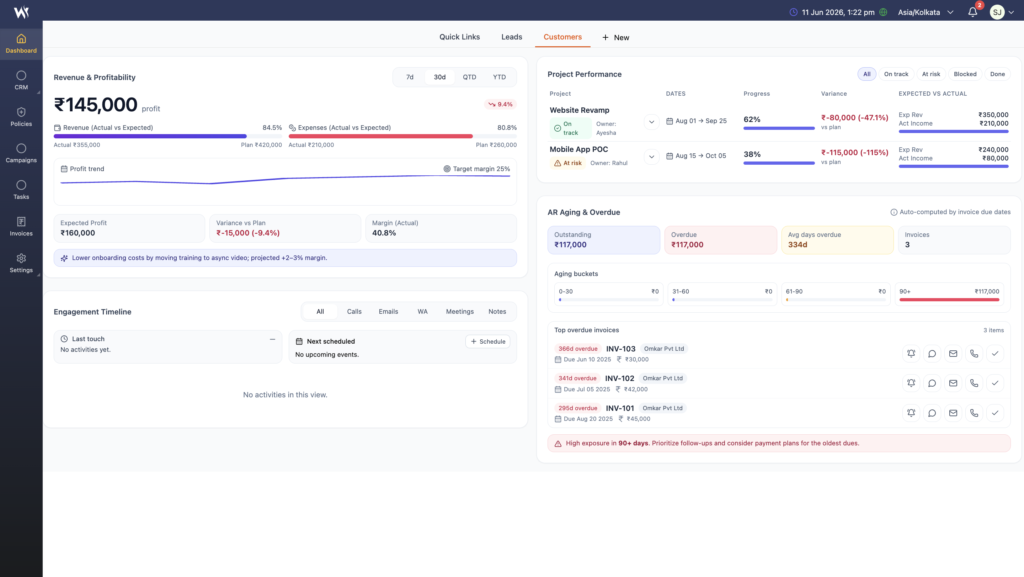
Customers Dashboard
The Customers Dashboard provides an overview of customer performance, revenue, projects, outstanding payments, and engagement activities.
Key information includes:
- Revenue and Profitability
- Project Performance
- Accounts Receivable Aging
- Customer Engagement Timeline
- Outstanding Invoices
- Customer Performance Metrics
This dashboard helps users monitor customer relationships, financial performance, and business growth.
Frequently Asked Questions
What is the Webtrix24 CRM Dashboard?
The Dashboard is the central workspace that provides an overview of leads, customers, tasks, campaigns, invoices, and business performance metrics.
Can dashboard data change based on the selected CRM solution?
Yes. Dashboard widgets and metrics may vary depending on the CRM solution and enabled modules.
What can I access from Quick Links?
Quick Links allow users to quickly perform common actions such as creating leads, tasks, invoices, and products.
Who can view dashboard information?
Dashboard visibility depends on the user’s role and assigned permissions.