
Account Settings allows users to manage their personal information, contact details, timezone settings, and account security from a single location.
This section helps users keep their profile updated and maintain account security.
Accessing Account Settings
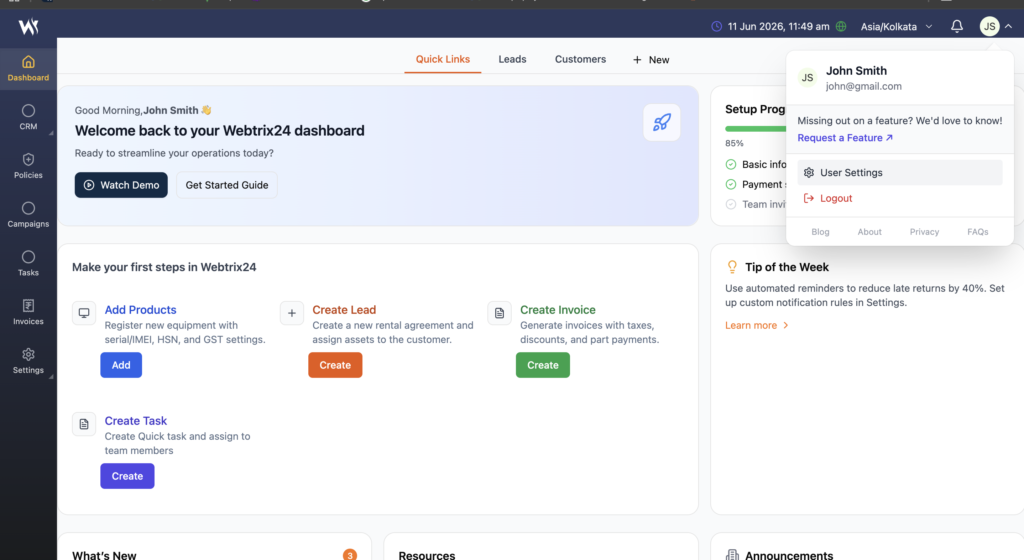
Follow these steps:
- Click on the Profile icon in the top-right corner.
- Select User Settings from the dropdown menu.
- The Account Settings page will open.
Profile Information
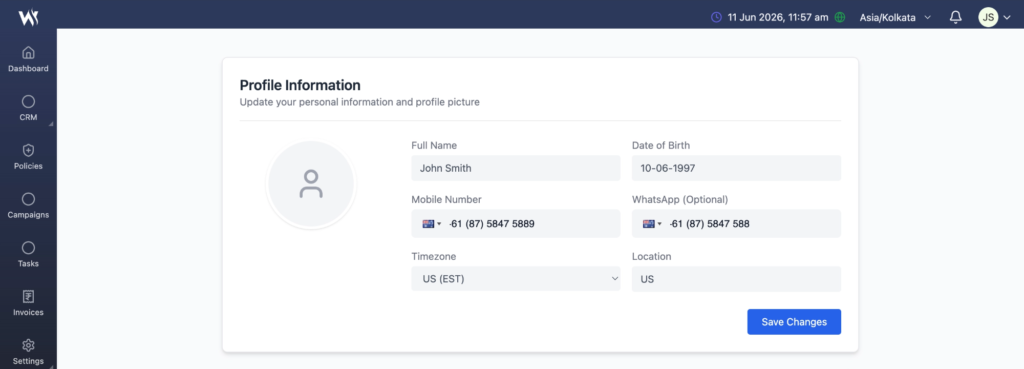
The Profile Information section allows users to update personal details.
Available fields include:
- Full Name
- Date of Birth
- Mobile Number
- WhatsApp Number
- Timezone
- Location
After updating the required information, click Save Changes to update the profile.
Updating Contact Information
Users can modify their contact details whenever required.
Supported information includes:
- Mobile Number
- WhatsApp Number
Ensure valid contact information is maintained for communication and notifications.
Managing Timezone
The Timezone field helps the system display accurate date and time information.
Example:
- Asia/Kolkata
- UTC
- Other supported timezones
Select the appropriate timezone and save the changes.
Updating Location
Users can specify their current location for better account management and regional settings.
Example:
- Pune
- Mumbai
- Delhi
Security Settings
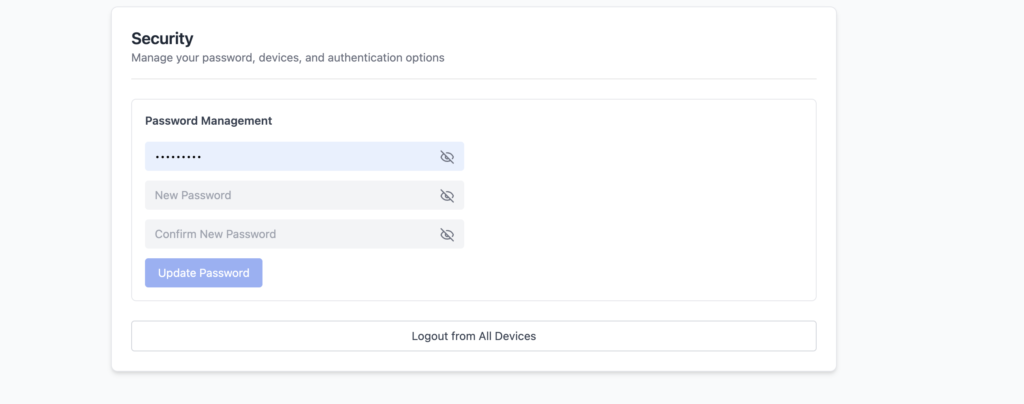
The Security section allows users to change their account password.
Steps to Change Password
- Enter the Current Password.
- Enter the New Password.
- Confirm the New Password.
- Click Update Password.
The system will update the password after successful validation.
Password Guidelines
For better security:
- Use at least 8 characters.
- Include uppercase and lowercase letters.
- Include numbers.
- Include special characters.
- Avoid using common passwords.
Frequently Asked Questions
Where can I update my profile information?
Profile information can be updated from the Account Settings page available under the User Settings menu.
Can I change my mobile number?
Yes. Users can update their mobile number and WhatsApp number from the Profile Information section.
Why is the timezone setting important?
The timezone setting ensures that dates, reminders, tasks, and activities are displayed correctly.
How do I change my password?
Open Account Settings, navigate to the Security section, enter the current password, provide a new password, and click Update Password.
What should I do if I forget my password?
Contact your system administrator or use the available password recovery option if enabled.